Encode text into image
An example of decode.encode.
Start with the necessary imports
from os.path import join
import matplotlib.pyplot as plt

from nilearn import plotting

from gclda.model import Model
from gclda.decode import encode
from gclda.utils import get_resource_path
Load model
model_file = join(get_resource_path(), 'models/Neurosynth2015Filtered2',
                  'model_200topics_2015Filtered2_10000iters.pklz')
model = Model.load(model_file)
Encode text into image
text = 'painful stimulation during a language task'
text_img, topic_weights = encode(model, text)
Show encoded image
fig = plotting.plot_stat_map(text_img, display_mode='z',
                             threshold=0.00001,
                             cut_coords=[-2, 22, 44, 66])
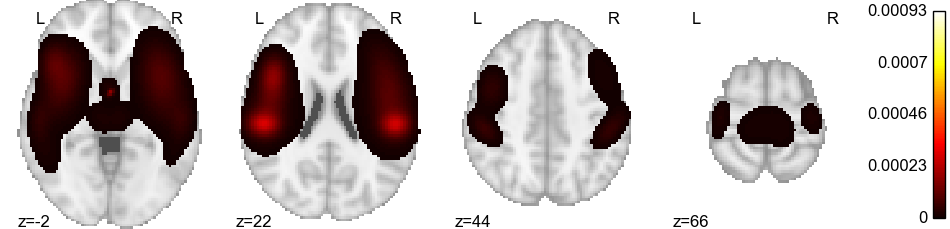
Plot topic weights
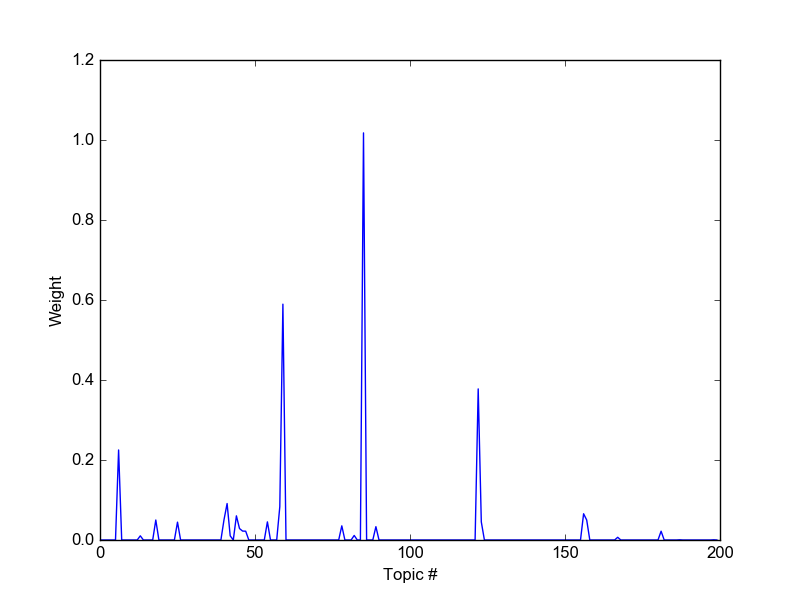
fig2, ax2 = plt.subplots()
ax2.plot(topic_weights)
ax2.set_xlabel('Topic #')
ax2.set_ylabel('Weight')
fig2.show()
Total running time of the script: ( 0 minutes 37.356 seconds)